Wrap-up Codes
Wrap-up codes are the after-call categorizations that agents select in Webex Contact Center when they finish a call. Cloverhound Cloud imports the wrap-up codes configured in your Webex tenant and lets you map each one to a campaign disposition, so dialer results reflect what the agent actually reported. This page lives under the Campaigns module.
Accessing Wrap-up Codes
-
Navigate to the Campaigns module.
-
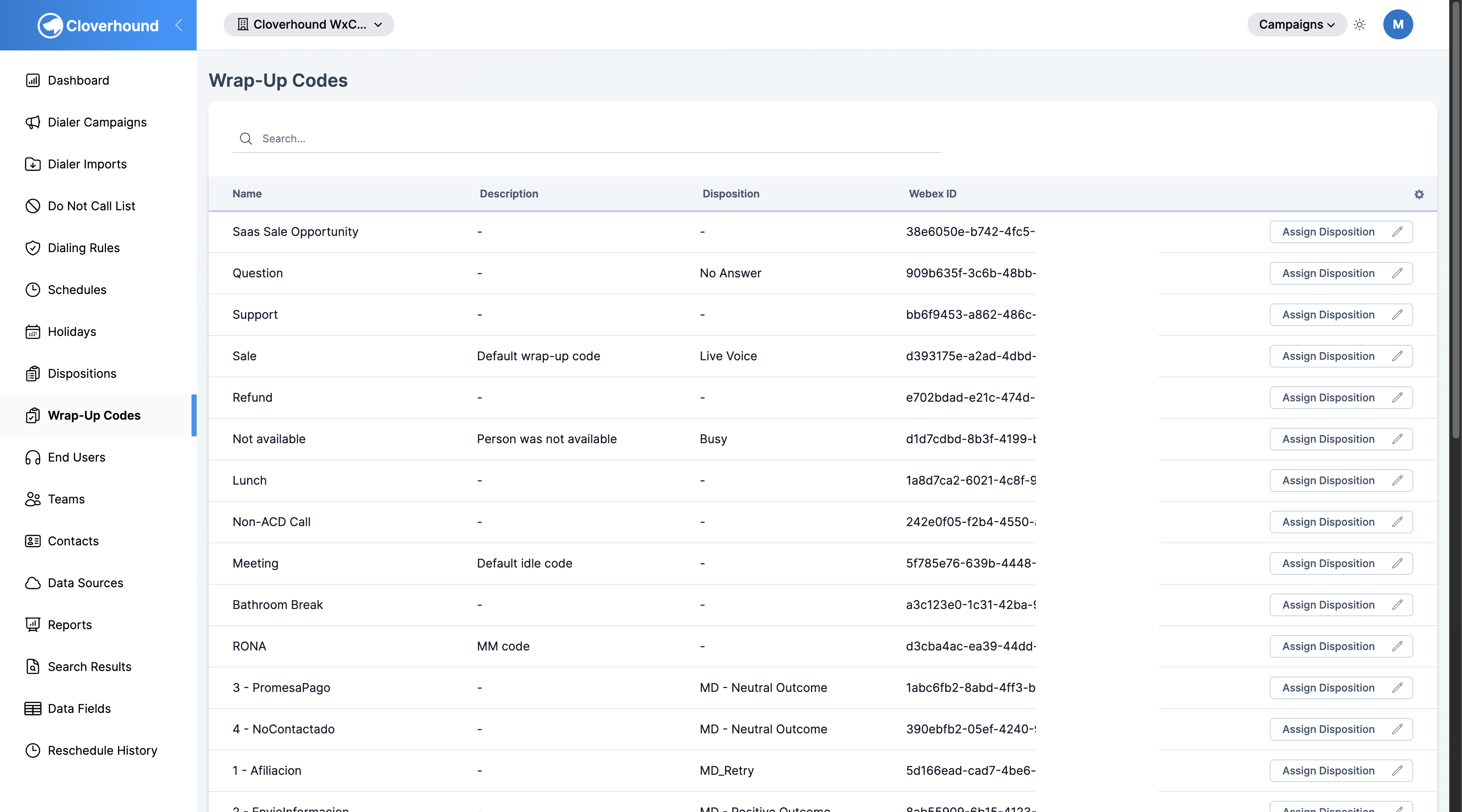
Open the Wrap-up Codes page from the sidebar.
-
Use the search box to find a specific wrap-up code by name.
The table lists each wrap-up code with:
- Name — the wrap-up code label, imported from Webex.
- Description — optional notes about what the code means.
- Disposition — the campaign disposition currently mapped to this code. Unmapped codes show
-. - Webex ID — the provider reference ID from Webex Contact Center.
Wrap-up code names are read-only in Cloverhound Cloud. Edit them in Webex Control Hub; changes sync back to Cloverhound Cloud automatically.
Assigning a Disposition
Mapping a wrap-up code to a campaign disposition tells Cloverhound Cloud how to treat the record once an agent selects that code. For example, mapping a "Bad Number" wrap-up code to the Invalid Number disposition lets your dialer stop attempting that number.
-
Locate the wrap-up code in the table.
-
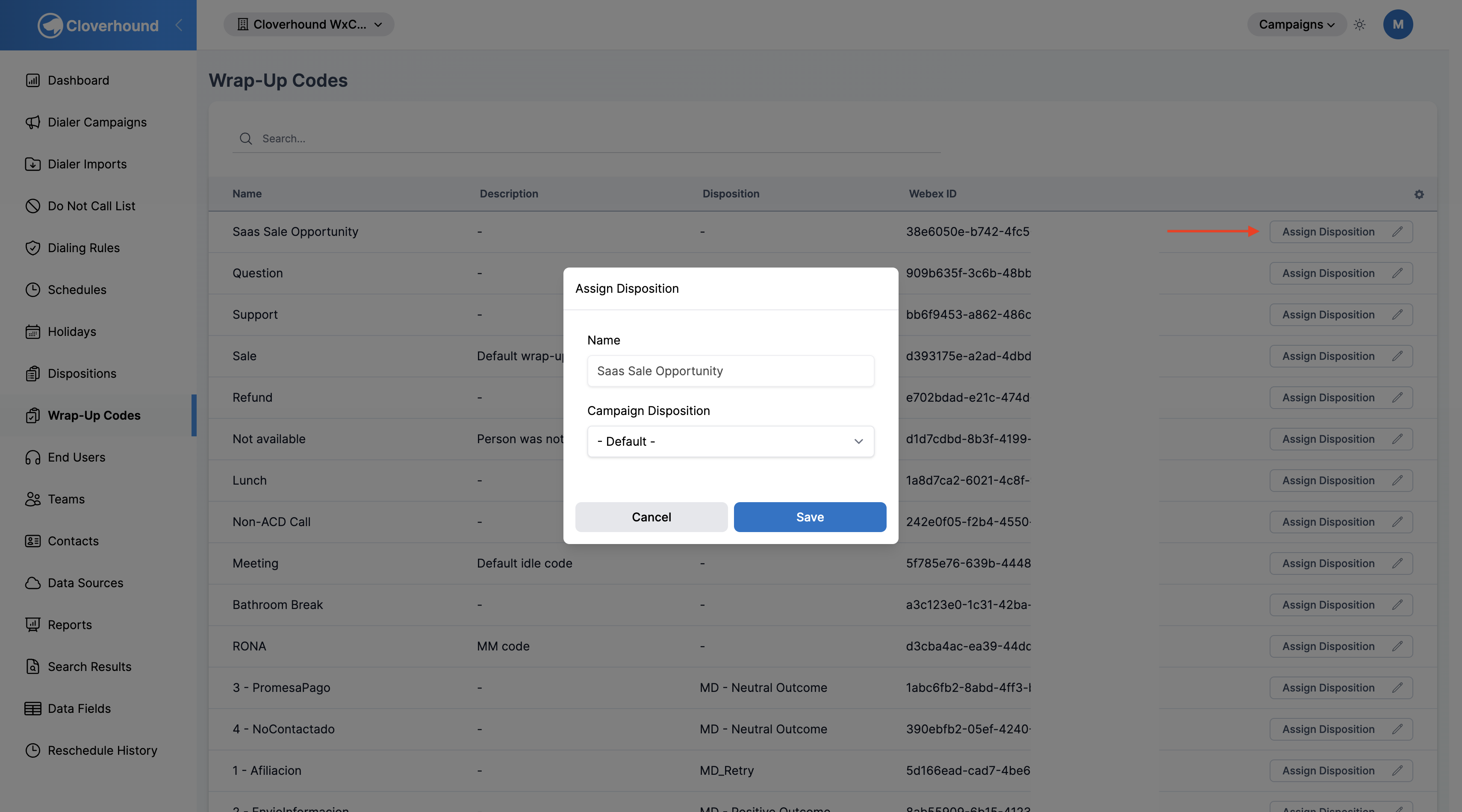
Click the Assign Disposition button in that row.
-
Select a disposition from the Campaign Disposition dropdown.
-
Click Save. The new mapping appears in the Disposition column.
To clear a mapping, open Assign Disposition again and pick - Default - from the dropdown.
Related Pages
- Campaign Dispositions — create and configure the dispositions that wrap-up codes map to.
- Webex Contact Center Integration — connect your Webex tenant so wrap-up codes sync into Cloverhound Cloud.
Once each wrap-up code is mapped to a disposition, campaign outcomes reflect the categorization agents pick in Webex Contact Center.