Email Notifications for Scheduled Reports
Scheduled reports in the Campaigns module are delivered directly to your inbox, ensuring you have the campaign data you need, when you need it.
Email Details
-
Sender:
noreply@cloverhound.comAll emails for scheduled reports are sent from our no-reply email address. Please ensure this address is added to your safe senders list to avoid emails being marked as spam. -
Subject: The subject of the email will include the name of the report and the date it was generated (e.g., "Dialer Results Records Report - March 16, 2026").
-
Body: The email body will contain a brief summary of the report and any notes you provided during report creation. It also includes details like:
- Report Name: The name of the report (e.g., "dialer-results-records-report").
- Frequency: The frequency at which the report will be sent (e.g., "weekly").
- Format: The format of the report (e.g., "CSV").
- Generated At: The date and time when the report was generated (e.g., "March 16, 2026 at 08:00 AM").
- Notes: Any optional notes added during report configuration.
-
Attachment: The email includes the generated report file as an attachment in the selected format (
CSV,XLSX, orPDF). This file contains all the records data based on the configuration and filters you applied when creating the report.
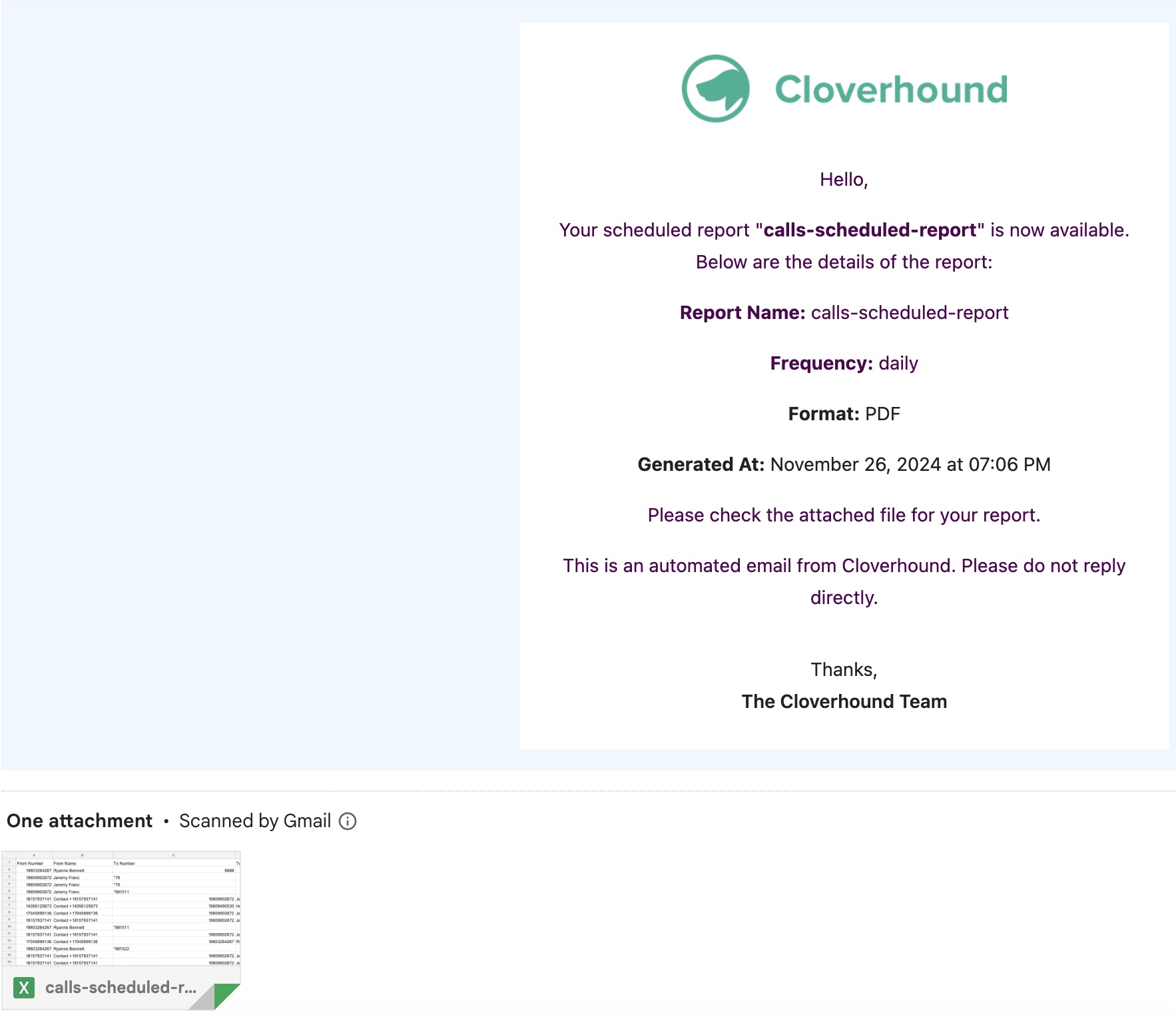
Example Email
From: noreply@cloverhound.com
To: [Your Specified Email Addresses]
Subject: dialer-results-records-report - March 16, 2026
Body: Hello,
Your scheduled report is ready!
Report Details:
- Report Name: dialer-results-records-report
- Frequency: weekly
- Format: CSV
- Generated At: March 16, 2026 at 08:00 AM
- Notes: [Optional notes added during configuration]
You'll find the report file attached to this email.
Thanks, The Cloverhound Cloud Team
Attachment: dialer-results-records-report_March_16_2026.csv
Important Notes
- Multiple Recipients: If you specified multiple email addresses, the report will be sent to all recipients in a single email.
- Spam Filters: Add the sender address (see Email Details above) to your safe senders list to ensure emails are not filtered or blocked.
- Failed Reports: If a report fails to generate, no email will be sent for that run. Check the report's status in the Scheduled Reports list and verify the configuration is correct.
- Data Privacy: Reports are sent only to the email addresses you specified. Ensure recipients are authorized to view the campaign data included in the report.
If you experience issues receiving reports or need further assistance, please contact your Cloverhound administrator.