Modes
The Mode is a core component of a Dialing Rule. It determines when the rule is evaluated relative to the other rules on the campaign.
Dialing Rules pages group rules by mode. Use the First Match and Always Evaluate tabs to switch between the two lists.
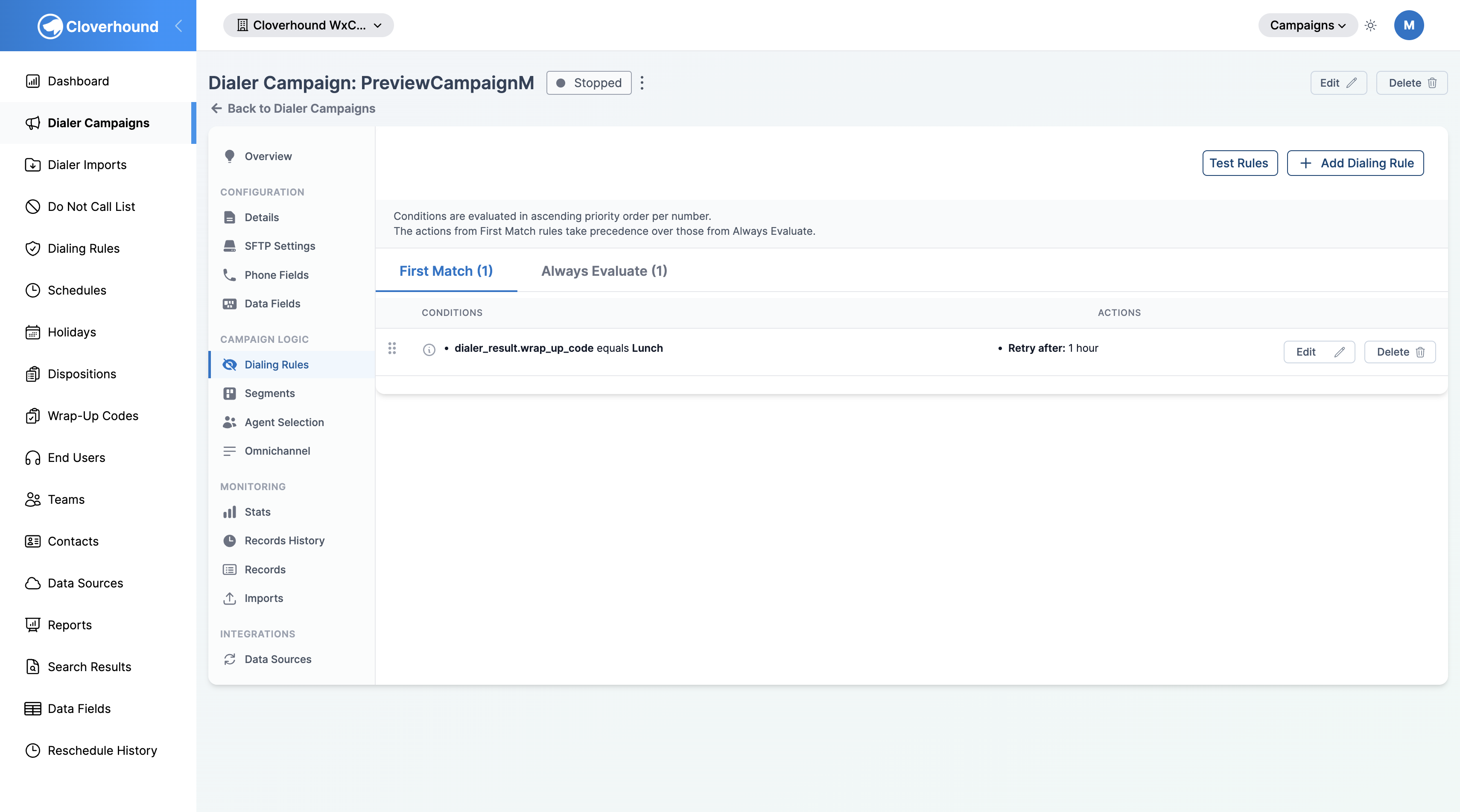
Mode Options
There are two options for the Mode:
-
Always Evaluate
- The rule is evaluated on every attempt, independent of any other rules.
- Matches of this rule do not stop other rules from running.
- Use this mode for rules that should always apply, such as campaign-wide policies.
-
First Match
- The rule is part of the ordered First Match sequence for the campaign.
- Rules are evaluated in the order shown on the First Match tab.
- When a rule's conditions match, its actions are applied and First Match processing stops for that attempt.
- If the rule does not match, processing continues with the next rule in the order.
Reordering First Match Rules
On a specific dialer campaign's Dialing Rules tab, reorder First Match rules by dragging:
-
Open the campaign's Dialing Rules tab.
-
Switch to the First Match tab.
-
Drag a rule by its drag handle (the dotted icon at the left of the row) to a new position in the list.
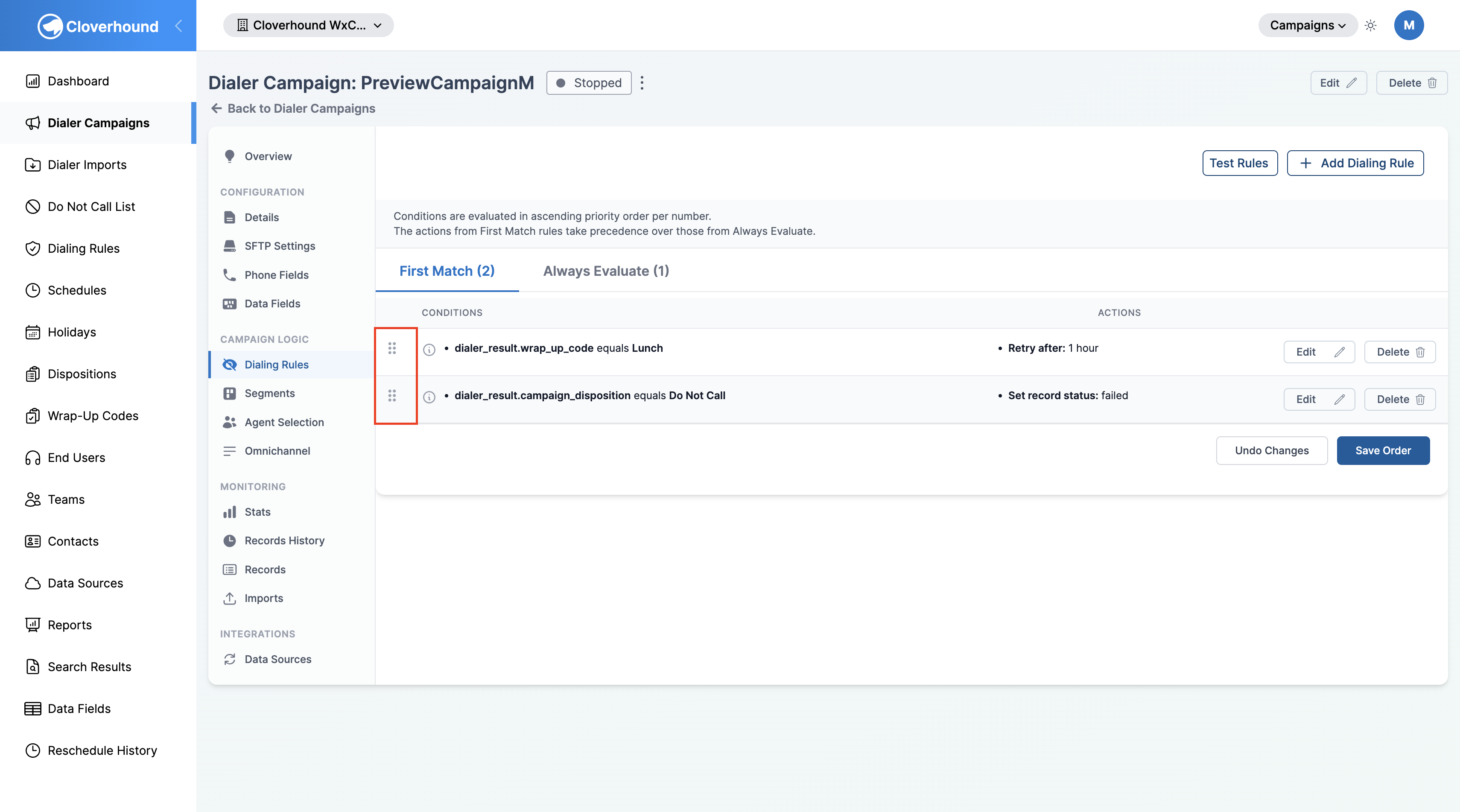
-
Repeat for any other rules you want to move. A sticky bar appears at the bottom of the list while there are unsaved order changes.
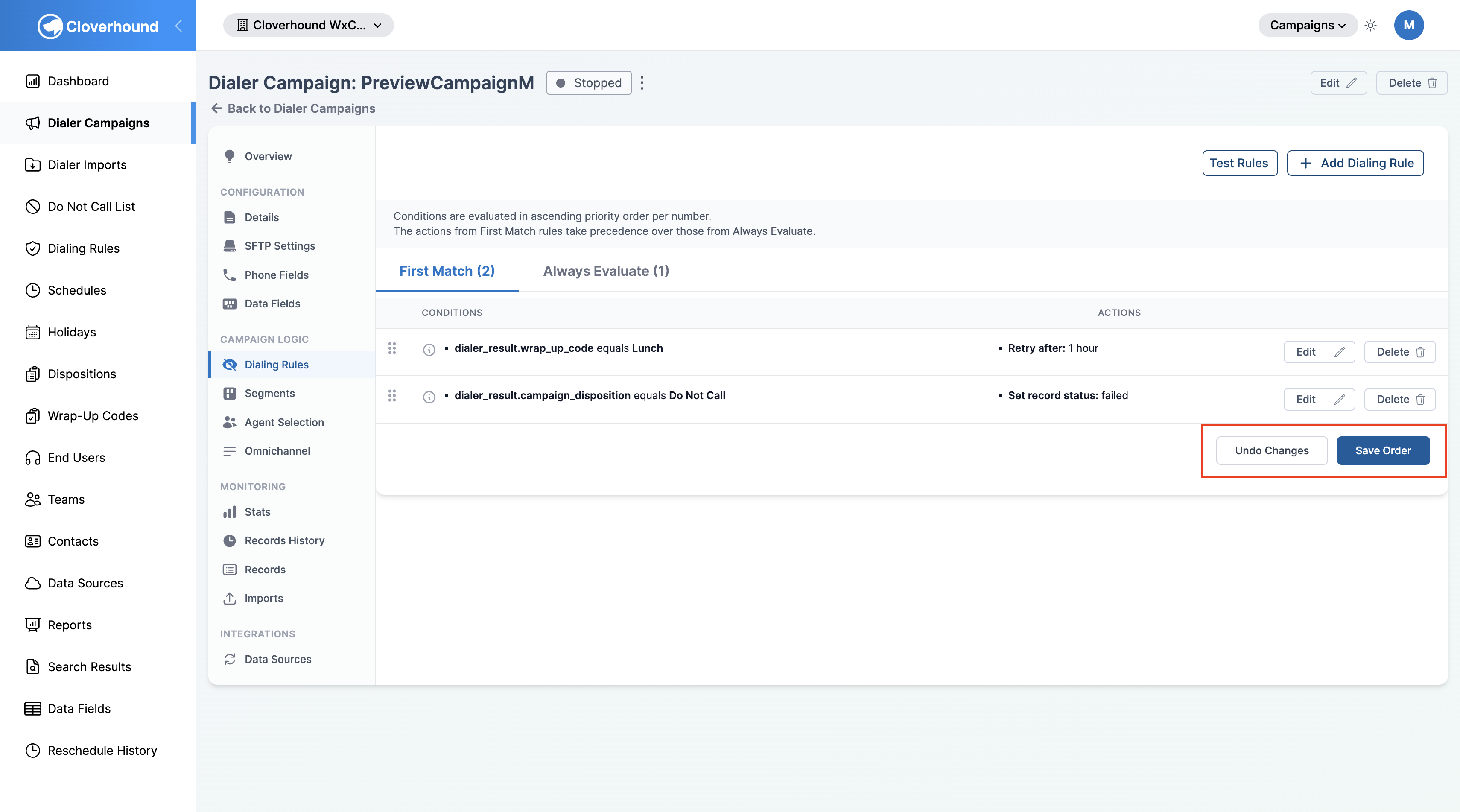
-
Click Save Order to persist the new order, or Undo Changes to revert to the last saved order.
Reordering is available on a campaign's Dialing Rules tab. The global Dialing Rules page lists First Match rules in priority order for reference but does not support reordering.
How Modes Affect Rule Processing
-
Always Evaluate rules
- Run on every attempt.
- Do not stop other rules from running.
- Work well for consistent, campaign-wide policies.
-
First Match rules
- Run in the order shown on the First Match tab.
- The first rule whose conditions match wins, and First Match processing stops for that attempt.
- Actions from a matching First Match rule take precedence over actions from Always Evaluate rules.
Use Cases
-
Always Evaluate
- Applying schedule restrictions to every attempt.
- Enforcing company-wide compliance policies.
-
First Match
- Creating fallback rules for different scenarios.
- Building a hierarchy where specific cases override general ones.
Best Practices
- Use Always Evaluate for universal rules that should apply to all scenarios.
- Use First Match when you need a hierarchy of rules or when certain rules should take precedence.
- Carefully consider the order of your First Match rules so they are applied as intended.
- Regularly review and test rule configurations. Use the Test Rules button on the campaign's Dialing Rules tab to try sample inputs against the rule set.