Introduction to Dialing Rules
Dialing Rules let you control how campaigns treat records as they are dialed. Use them to enforce compliance with local, state, and federal regulations, and to customize retry, outcome, and routing behavior per campaign or across all campaigns.
Key Benefits
- Ensure regulatory compliance
- Customize campaign behavior
- Apply rules globally or to specific campaigns
Components of Dialing Rules
Dialing Rules consist of three main components that work together to define how and when a rule is applied:
- Mode — Determines when the rule is evaluated (Always Evaluate or First Match).
- Conditions — Filters that identify when the rule should be applied.
- Actions — The operations taken when the conditions are met.
Where to Find Dialing Rules
Dialing Rules are available in two places:
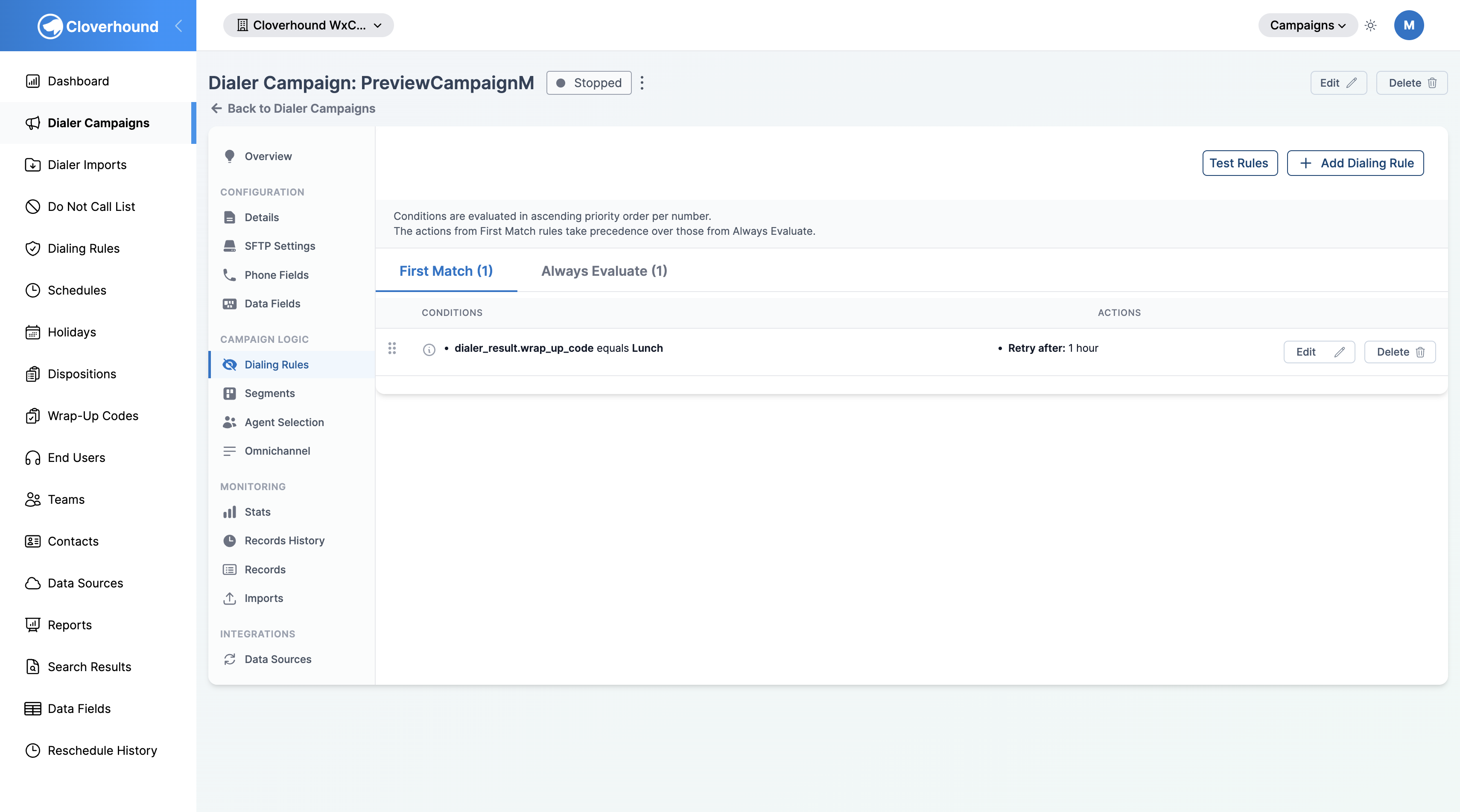
- Campaigns module → Dialing Rules — lists rules across all campaigns, including global rules.
- Campaigns module → a specific Dialer Campaign → Dialing Rules tab — lists and manages rules for that campaign only.
Both pages organize rules into two tabs that match the two mode options:
- First Match — shows rules in the order they are evaluated. On the per-campaign page, you can reorder these rules by dragging.
- Always Evaluate — shows rules that apply independently of each other.
How Dialing Rules Work
- Cloverhound Cloud evaluates the conditions of each rule against the current record and call attempt.
- When a rule's conditions are met, its actions are applied.
- The mode determines whether the rule always runs or whether it participates in the ordered First Match sequence and can stop further processing.
Best Practices
- Start with broader rules and refine as needed.
- Regularly review and update rules to ensure ongoing compliance.
In the following sections, we cover each component in more detail, with step-by-step guides for creating effective Dialing Rules.