API Keys
Introduction to API Keys
Cloverhound Cloud provides a robust REST API that enables developers to integrate external systems with Cloverhound Cloud. To ensure secure access to this API, administrators need to generate API keys. These keys serve two primary purposes:
- Authentication for the REST API
- Integration with Webex Contact Center connectors for Outbound Campaign Management
Creating an API Key
Follow these steps to create a new API key:
- Click the '+ New API Key' button.
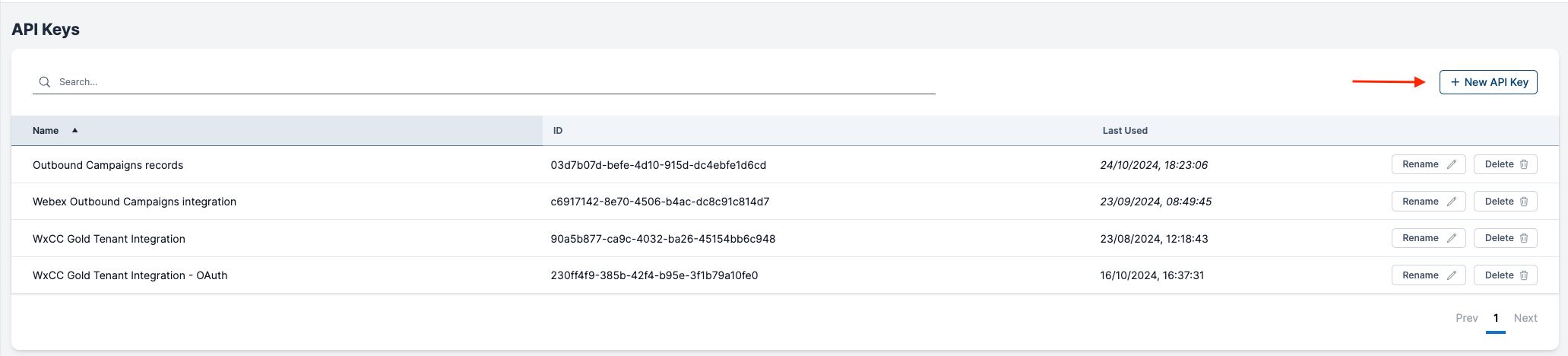
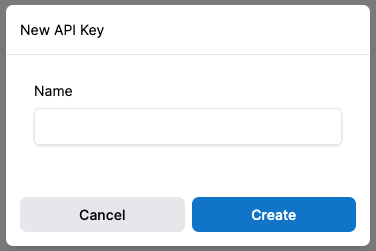
- Assign a name to your API key:
- Choose a name that clearly represents the intended use of the API key.
- Ensure the name is unique within your organization.
-
After creating the name, a new modal will appear displaying:
- The API Key ID
- The API Key Secret
-
Important: Copy and securely store the API Key Secret
- The API Key Secret will only be displayed once for security reasons.
- You must copy and store this secret in a safe place.
- You can copy the API Key ID and store it as well.
- After storing the secret, check the box that says "I have stored the secret key to a safe place" and click the 'Done' button to close the dialog.
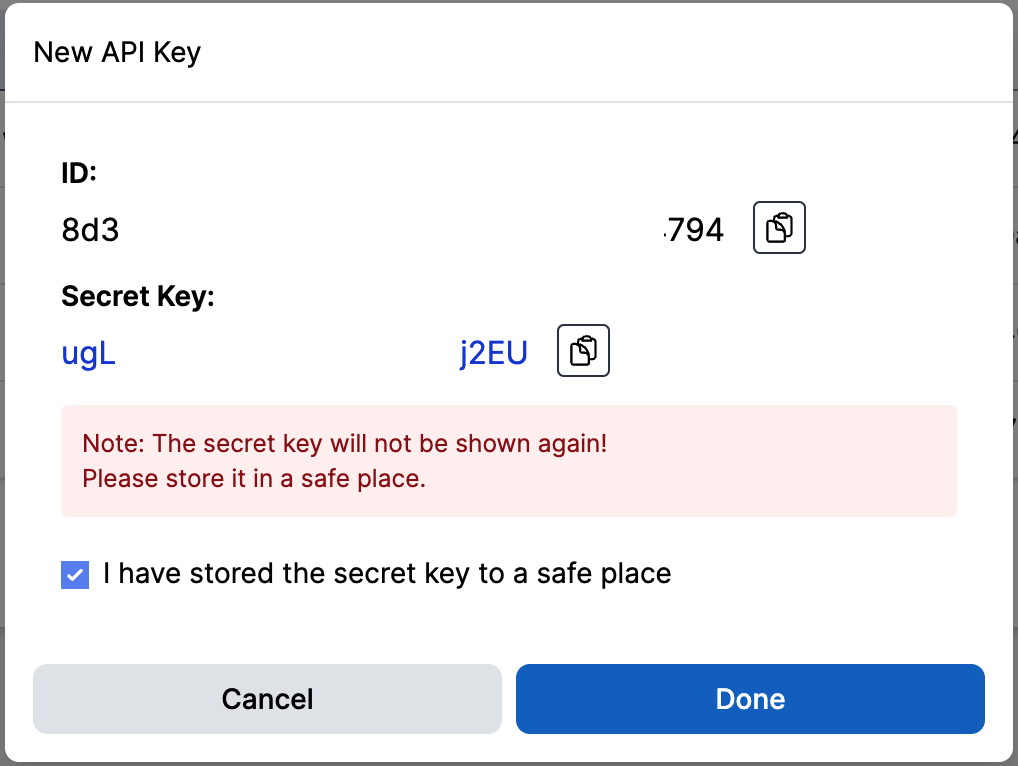
Once the New API key form closes, the user will not be able to see the API Key Secret. A new key will need to be generated if the user loses the secret
Access
A key reaches only the modules you grant it, at one of two levels.
| Level | What the key can do |
|---|---|
| None | Nothing in that module. Every request returns 403, reads included. |
| Read only | GET the module's resources. Creating, updating and deleting return 403. |
| Read & write | Everything the module allows. |
Set the level per module when you create the key, and change it later from the Edit button without rotating the secret.
Two things are worth knowing:
- A grant can never reach past the organization. If a module is turned off for your organization, a key granted that module still gets 403. The grant stays on the key, so turning the module back on restores it. The same holds for the settings inside a module: with CC Analytics off, an Analytics key is refused interactions, exactly as the pages are hidden from your users.
- Some resources appear under more than one module, the same way they do in the navigation. Schedules belong to both Operations and Campaigns, for example, so a key holding either module can read them. Where the two levels differ, the one that allows more wins.
Actions that look like reads but change something are treated as writes. Fetching the next records for a campaign is the clearest case: it hands out records and marks them as it goes, so it needs read & write on Campaigns. Minting a dialer token is a write for the same reason, because the token lets the holder drive the dialer.
Keys created before per-module access
Keys that existed before this feature keep the full access they have always had, so running integrations do not break. They are marked Full access (legacy) in the list.
Granting such a key any module replaces that full access, and the change cannot be undone. Work out what the integration actually needs before narrowing it.
Using API Keys
The API Key ID and API Key Secret pair can be used in the REST API as the username and password for Basic Authentication Authorization.
A request for something the key has no grant for returns 403 Forbidden:
{ "error": "You are not authorized to access this page." }
Best Practices
- Generate separate API keys for different integrations or purposes to maintain better security and easier management.
- Grant each key the least it needs. A reporting integration wants read only, and usually on one module.
- Regularly review and rotate your API keys to enhance security.
- Store API Key Secrets securely, such as in a password manager or secure vault.
- Never share API keys or secrets in public repositories or unsecured locations.
Security Note
Remember that anyone with your API Key ID and Secret can access your Cloverhound Cloud data through the API. Treat these credentials with the same level of security as you would a password.
By properly managing your API keys, you ensure secure and efficient integration between Cloverhound Cloud and your other systems or Webex Contact Center.